1-1 Quick Start Guide to the Learning Path
 Learning Objectives
In this chapter, we will introduce you to Pandora, the super cool mini-computer, in the simplest and most fun way!
You will learn:
1.Preview of upcoming content:
This is just the beginning! You'll get a sneak peek of the powerful skills you'll learn in later chapters.
2.Introduction to Pandora:
Think of it as a mini super-brain that can turn your creative ideas into reality! We’ll explore what it looks like and its powerful specs.
3.Explore Input and Output (I/O):
Pandora isn’t just powerful—it can communicate like your home PC! It connects to devices like mouse, keyboard, network, and sensors, and sends data to screens, networks, or speakers.
Chapter Overview
You can choose which chapters to explore based on your needs.
Hardware Introduction
Chapter 1: Quick Start
Helps you understand Pandora’s I/O basics and system environment.
Chapter 2: Motherboard Basics
Covers board specs, system flashing, and storage expansion.
Chapter 3: Basic Usage
Introduces Jetson desktop environment and essential tools.
Chapter 4: GPIO Control
Covers GPIO pin control, serial ports, and I2C communication.
Application Guide
Chapter 5: OpenCV Basics
Teaches common image processing tasks and camera examples.
Chapter 6: Docker Basics
Covers basic Docker commands and script execution.
Chapter 7: Advanced Vision Projects
1. DeepStream
2. YOLOv11
3. NanoOWL
4. MobileSAM
5. VLM
Chapter 8: Offline AI Model Development
Covers environments and models for offline large AI model development:
1. Meta AI’s Llama 3 and Code Llama
2. Alibaba’s Qwen 2.5
3. Microsoft’s Florence and Phi-4
4. Google’s Gemma and DeepSeek (R1 & VLM)
Quick Start
Introducing Pandora
Pandora is designed to simplify AI development on the NVIDIA® Jetson platform. It combines the powerful Jetson Orin™ NX / Nano Super with exceptional thermal design and JetPack SDK 6.2+ to deliver a complete and efficient solution. Like a magic box, Pandora unlocks creative potential in the world of AI with precision and control.
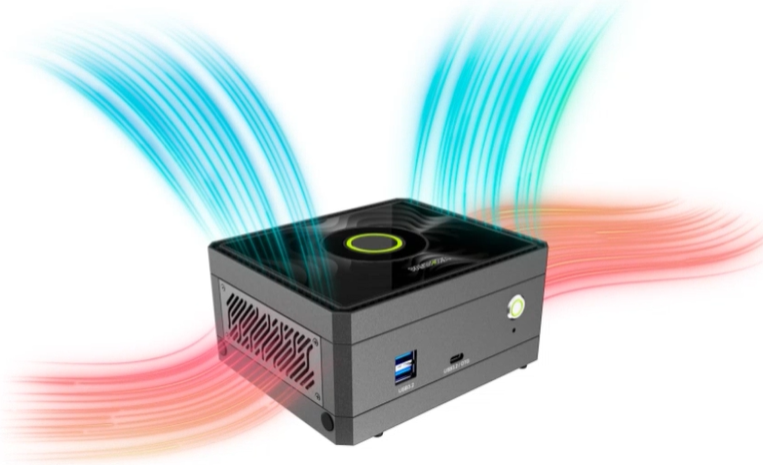
Pandora also supports those cool AI models that can write, chat, and more. Optimizing these models is the key—and don’t worry! This guide will walk you through all the settings so you can easily run them on Pandora.

I/O Introduction
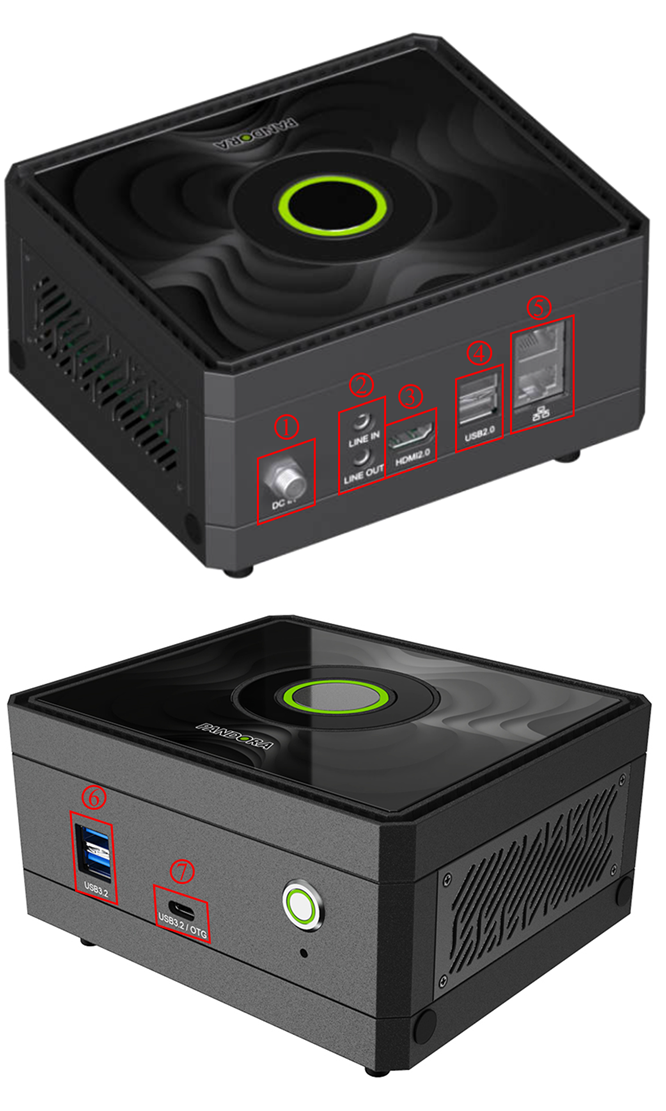
What’s Around Pandora?
Pandora is full of ports and connectivity—its sensory system to interact with various devices!
High-Speed Transfers
1. USB 3.2 Gen 2 (Type-A) x2 ( No. 6 in the picture )
Super-fast rectangular ports—great for large files like HD videos or games.
2. USB 3.2 Gen 2 (Type-C OTG) x1 ( No. 7 in the picture )
The reversible oval USB port you see on phones, with OTG (On-The-Go) support for reading USB drives or charging other devices. It’s also used for firmware updates or flashing.
3. USB 2.0 (Type-A) x2 ( No. 4 in the picture )
Classic USB ports for mice, keyboards, or printers.
Audio/Video Input & Output
1. HDMI 2.0 x1 ( No. 3 in the picture )
Output high-resolution video and audio to TVs, monitors, or projectors.
2. Line In (3.5mm audio jack) x1 ( No. 2 at the top of the picture )
For inputting audio from a music device.
3. Line Out (3.5mm audio jack) x1 ( No. 2 at the bottom of the picture )
For output to speakers or headphones.
Network
RJ45 Ethernet (10/100/1000 Mbps) x2 ( No. 5 in the picture )
Reliable wired connections—supports DHCP for plug-and-play internet.
Power Supply
DC Input: 12–36V x1 ( No. 1 in the picture )
Power input port supporting a wide voltage range.
You now have a basic understanding of Pandora and its exciting real-world applications. This is just the start—there’s so much more ahead in AI, robotics, and smart systems. Let’s begin the journey and unlock endless possibilities with Pandora!