3-6 Chinese Input Method
Learning Objectives
This chapter will guide you through installing and configuring Chinese input methods on your Pandora development board. Once you're done, you'll be able to:
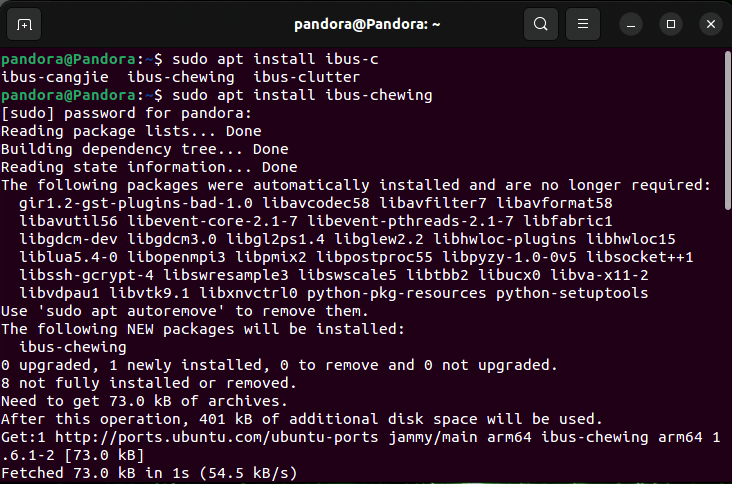
1. Install and enable the "Chewing" (新酷音) Bopomofo input method.
sudo apt install ibus-chewing
2. Restart your system.
3. Open the IBus settings interface:
ibus-setup

4. On the "General" tab, set the shortcut key for switching input methods (Note: The "Super" key is typically the Windows key on a standard keyboard).
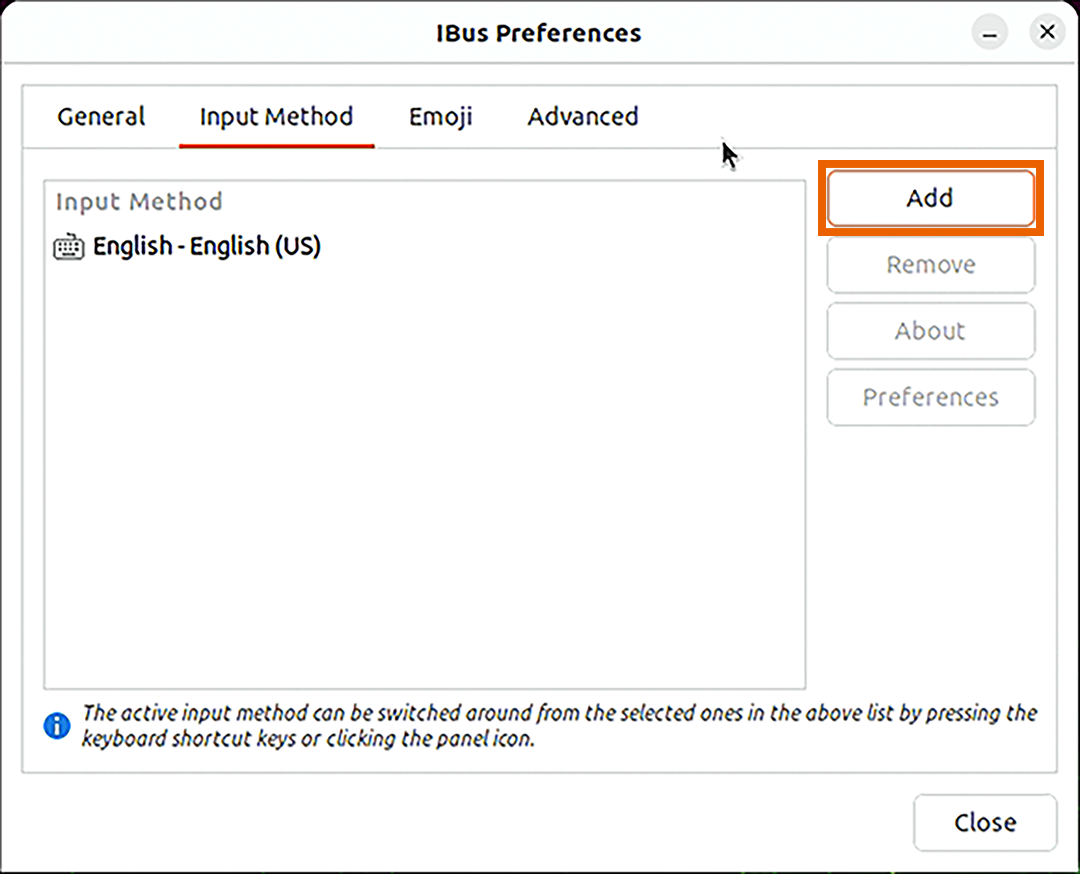
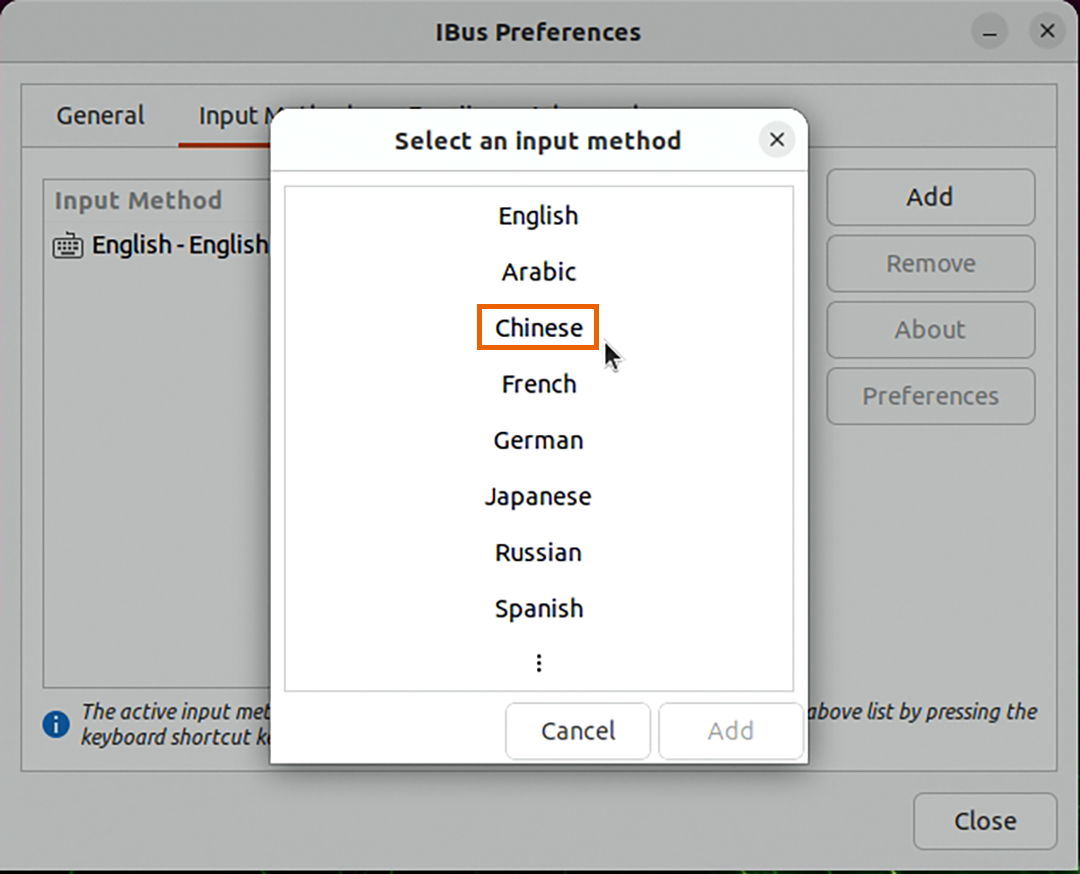
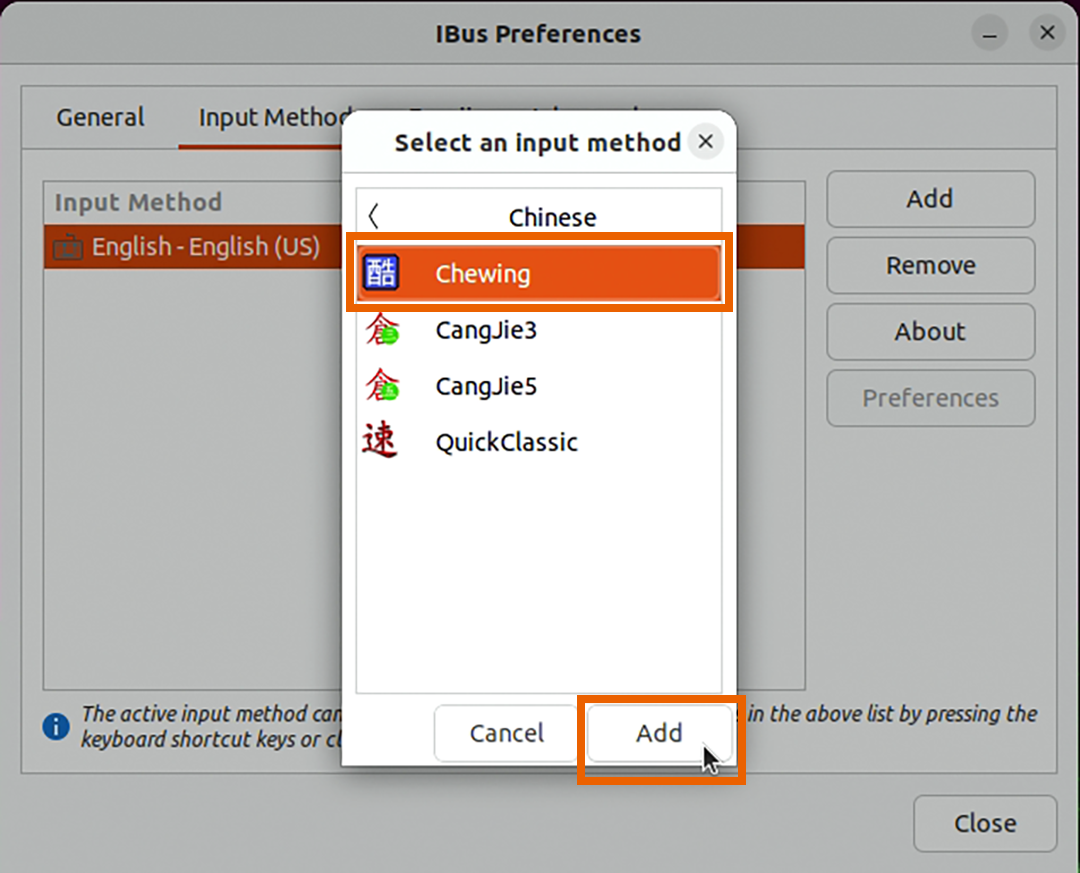
5. On the "Input Method" tab, add the newly installed Chewing (注音)
6. Open "Settings" and go to "Keyboard."
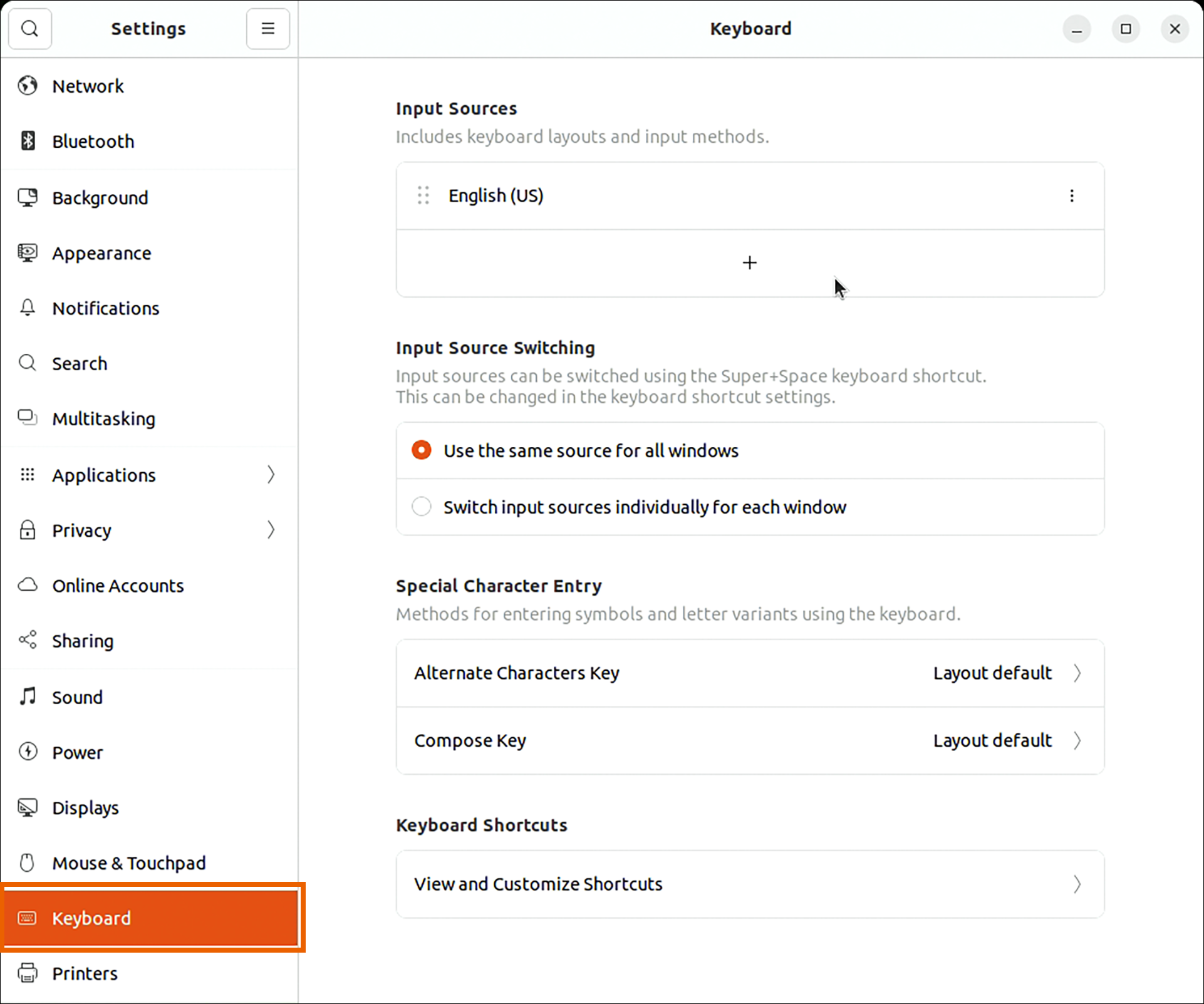
7. Click the "+" in the "Input Sources" section.
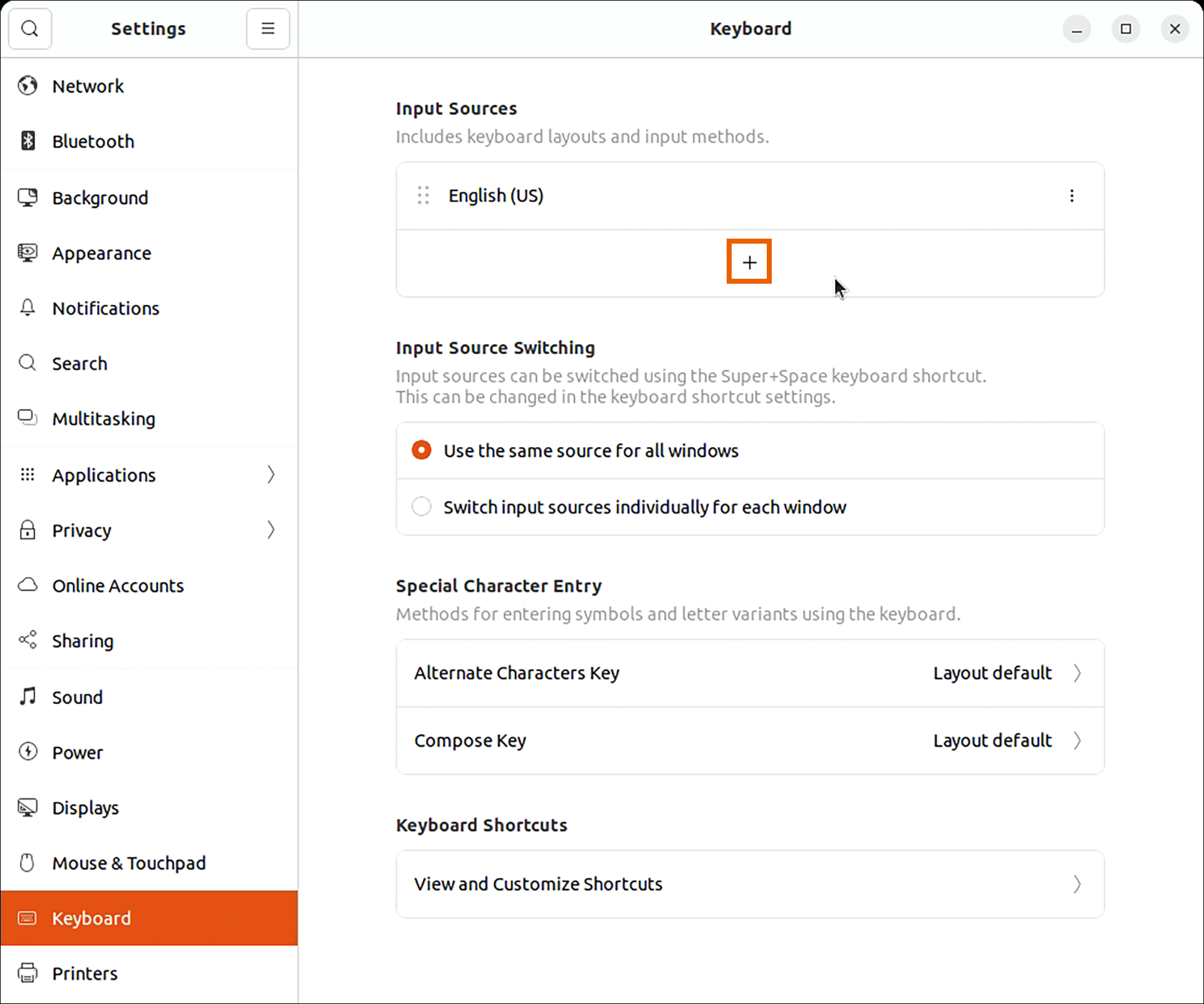
8. In "Add an Input Source," click the three dots (⋮).

9. Scroll to the very bottom and click "Other.”

10. Click "Chinese (Chewing)" then click "Add" in the top right corner.

11. At this point, an input method icon should appear in the system status bar, indicating successful addition.

Common Issues
Q1: After installing ibus-chewing, I can't see the Bopomofo input method in ibus-setup.
A1: Please make sure you have restarted your system after installation.
Q2: I don't see the Bopomofo input method in the "Keyboard" settings.
A2: You need to add it in ibus-setup first.
Q3: After adding the Bopomofo input method, when I switch to it, it's still typing English.
A3: Try logging out and then logging back in, or restarting your system.