6-3 Docker Commands
Learning Objectives
This chapter aims to help you understand Docker's fundamental concepts and architecture, enabling you to skillfully create, run, and manage Docker containers. You will learn to flexibly operate Docker images and use Docker Compose for deploying multi-container applications. Additionally, you'll gain insights into Docker networking and data persistence strategies—ultimately simplifying application deployment and management while significantly improving development and DevOps efficiency.
Essential Docker Command Guide
1. Container Management Commands
These are the most common Docker container management commands:
- docker run - Create and start a container docker run -d -p 80:80 nginx
- docker ps - List running containers docker ps -a
- docker stop - Stop a container docker stop container_id
- docker rm - Remove a container docker rm container_id

2. Image Management Commands
Common commands for managing Docker images:
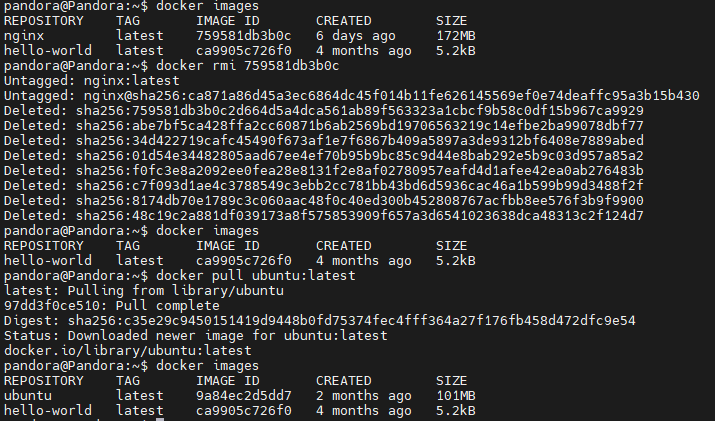
- docker images - List local images
- docker pull - Download image from Docker Hub docker pull ubuntu:latest
- docker rmi - Remove an image docker rmi image_id
3. System Info Commands
- docker info - Display Docker system info
- docker version - Show Docker version
4. Network Management Commands
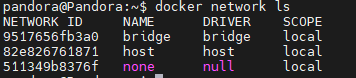
- docker network ls - List all networks
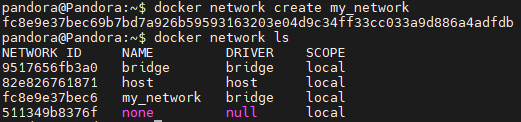
- docker network create - Create a new network docker network create my_network
5. Container Operation Commands
- docker exec - Execute a command inside a running container docker exec -it
container_id bash

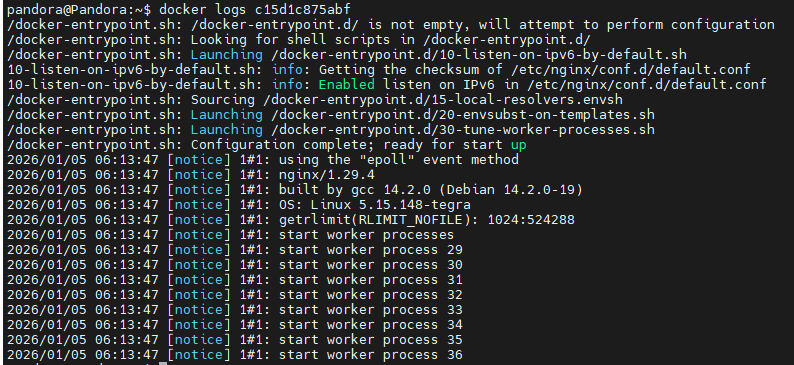
- docker logs - View container logs docker logs container_id
Common Usage Examples
docker run -d -p 80:80 --name my_nginx nginx
docker logs my_nginx
docker exec -it my_nginx bash
docker stop my_nginx
docker rm my_nginx
Notes
- Use
dto run containers in the background
- Use
pto map ports
- Use
-nameto specify a container name
- Use
vto mount volumes
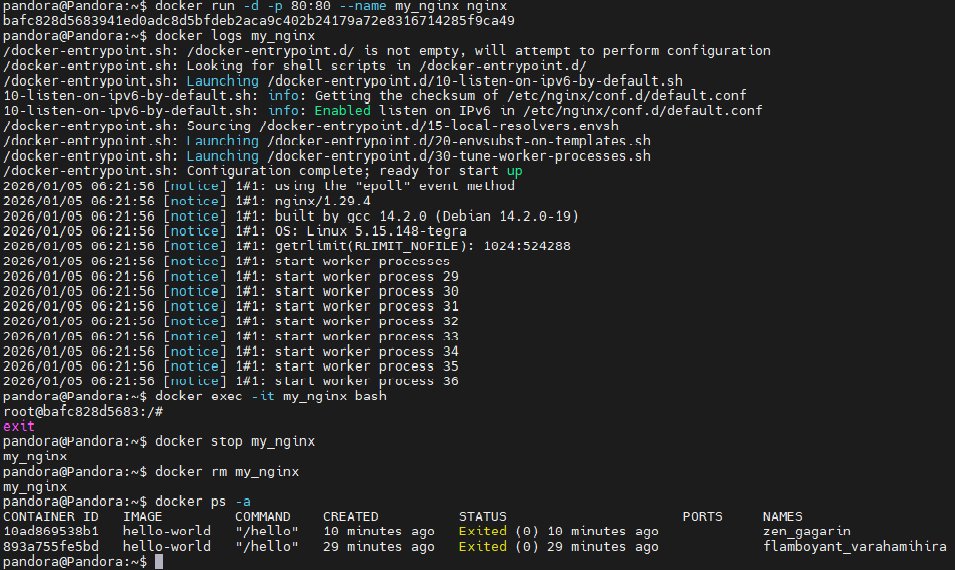
These are the most basic and commonly used Docker commands. Mastering them will help you effectively manage Docker containers and images.