10-6 Flame and Smoke Detection Function Example Tutorial
After going through the previous chapters, you must have deeply experienced the extreme convenience of the NexVDO SDK in AI project development, where "changing models is like changing clothes." In this chapter, we will switch to a brand new application scenario: Smart Disaster Prevention. We will introduce a "Flame and Smoke Detection Model" specially trained to identify disaster signals, equipping your software with the superpower to instantly lock onto fire sources and thick smoke in the early stages of a fire. This technology is currently widely used in forest fire monitoring, smart factory safety, and drone high-altitude inspection systems!
Learning Objectives
Through this chapter, you will learn:
1. Configure and load the dedicated flame and smoke detection model for industrial safety and disaster prevention scenarios.
2. Understand the definition of nClassID returned by the Flame model and grasp its physical meaning.
3. Implement exclusive alarm colors for disaster signals ( e.g., using a striking red to mark fires ).
Preparation
To give AI the ability to understand fires, we must give it a "brain" dedicated to disaster prevention.
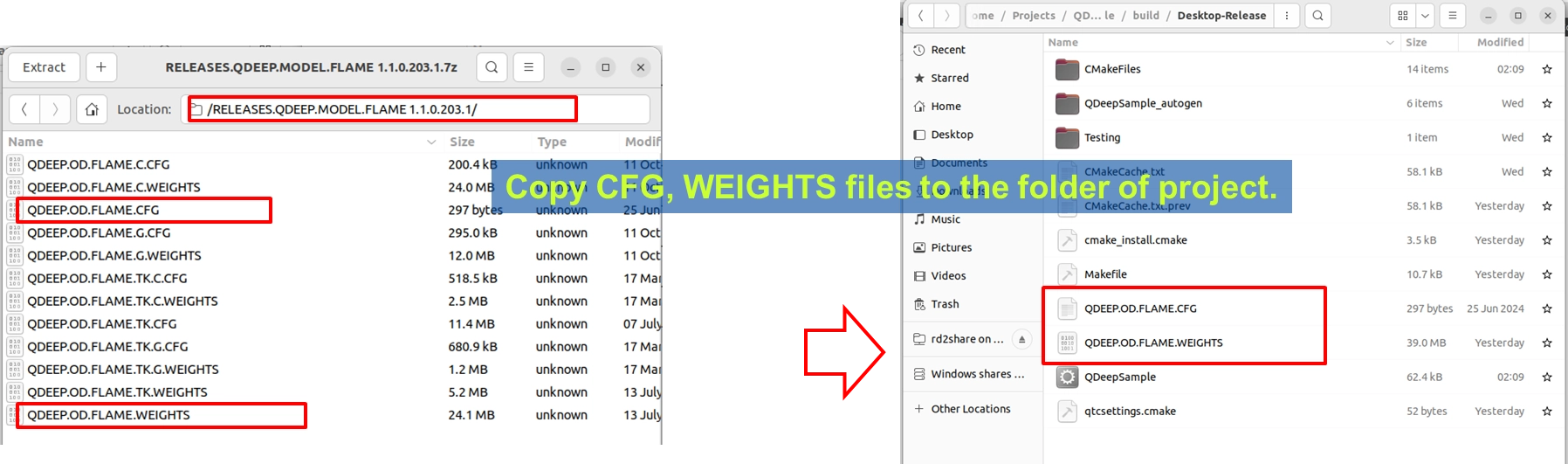
1. Please find the Flame detection model compressed file provided by YUAN (the file name may indicate FLAME related terms).
2. After extraction, copy out QDEEP.OD.FLAME.CFG ( configuration file ) and QDEEP.OD.FLAME.WEIGHTS ( weight file ).
3. Paste these two files directly into the build output directory of your current Qt project ( at the same level as the executable file ).
How to Change Core APIs?
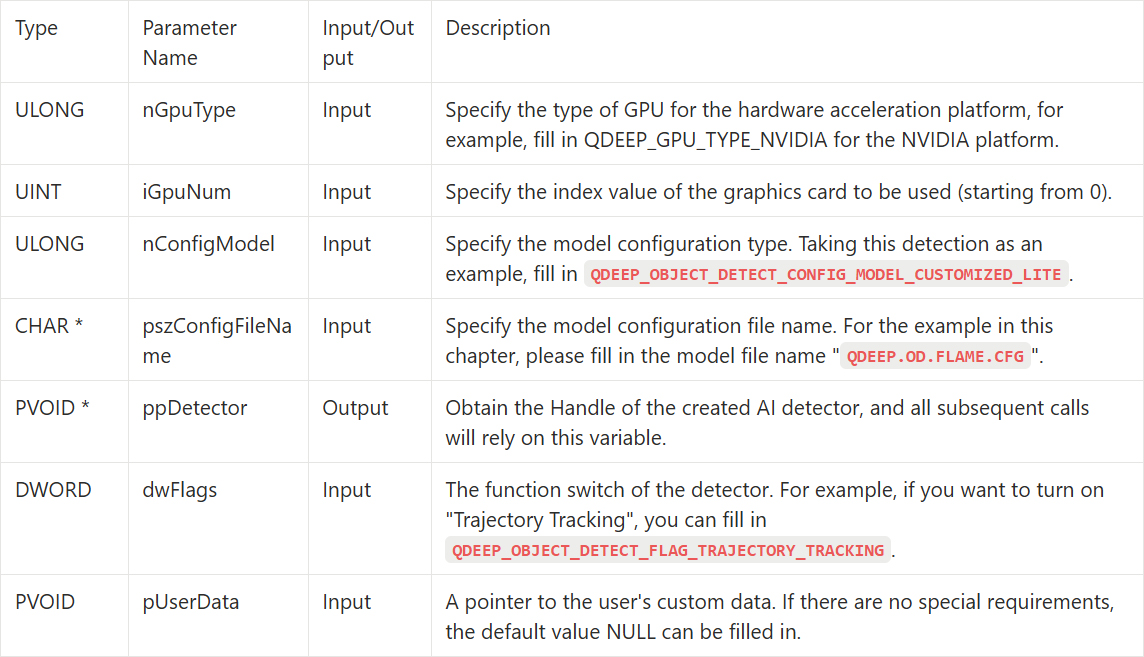
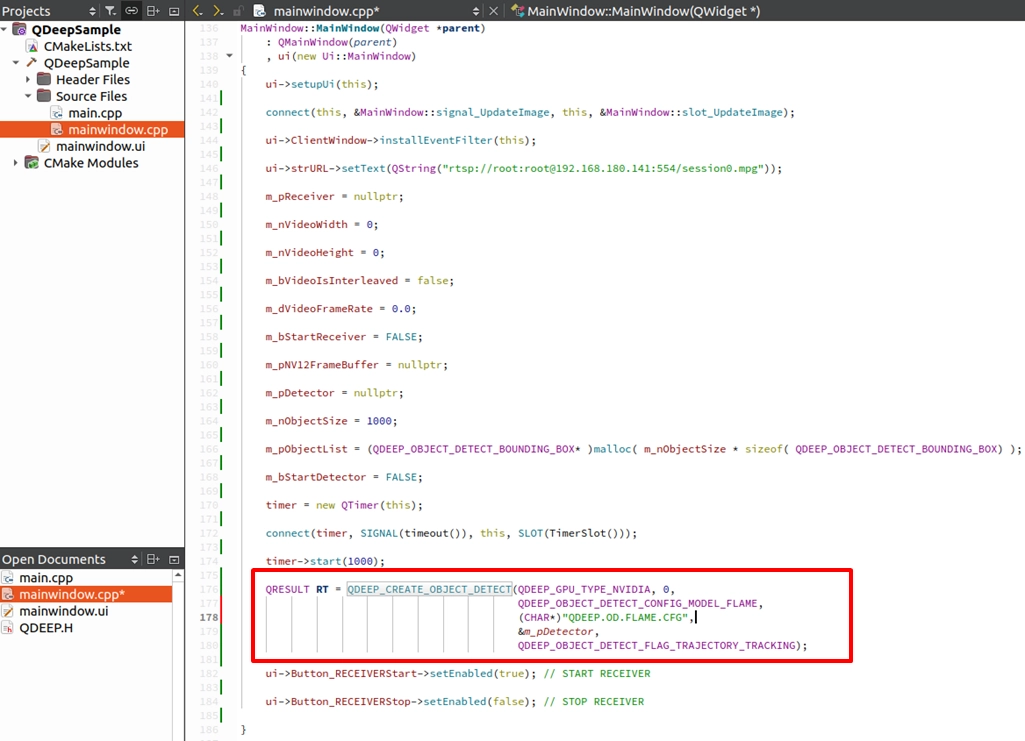
Just like the streamlined operation in the previous chapter, we only need to modify the model configuration file parameter ( pszConfigFileName ) in the QDEEP_CREATE_OBJECT_DETECT API to the new "QDEEP.OD.FLAME.CFG". All other APIs for connecting, stopping, and feeding images require no changes!
QDEEP_CREATE_OBJECT_DETECT
This is the most critical API for creating the AI engine and loading the brain (model). The user must initialize the detector through this API.
QDEEP_OBJECT_DETECT_BOUNDING_BOX Struct
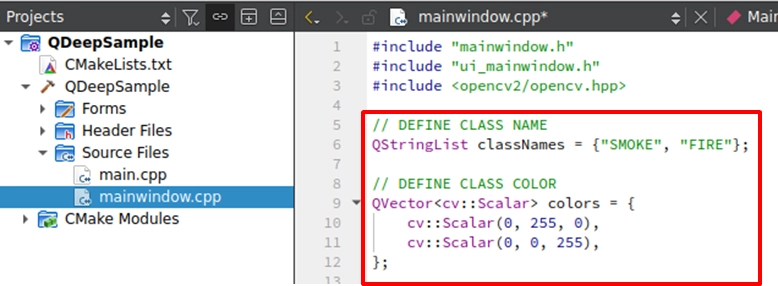
After swapping to the disaster prevention model, the nClassID ( class index ) returned by the AI engine through QDEEP_OBJECT_DETECT_BOUNDING_BOX will have a completely new physical meaning.
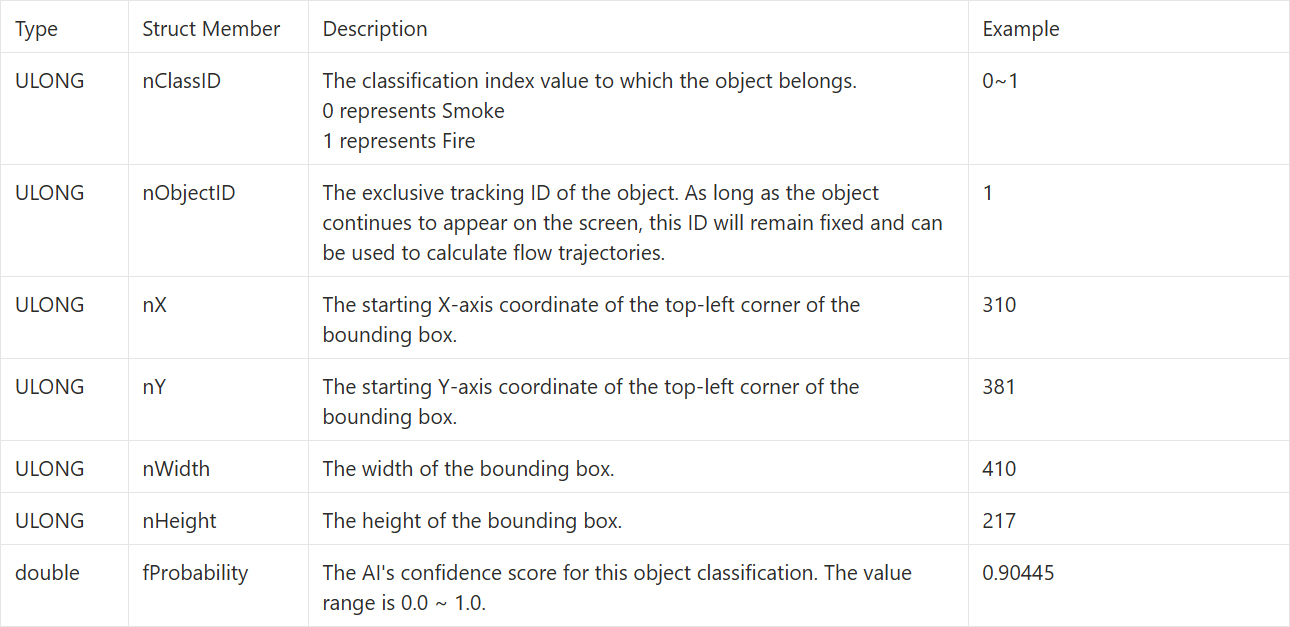
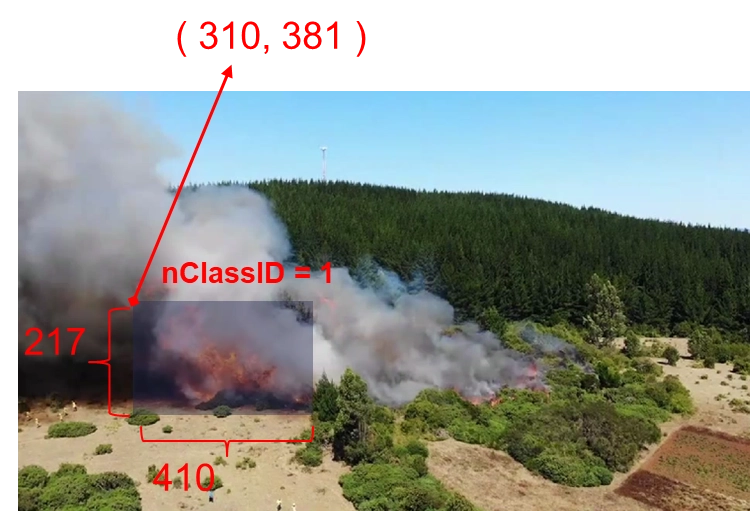
As long as the AI returns these two IDs, it means a potential crisis has appeared on the screen. We can then implement exclusive "visual alarm colors" for these two IDs!
Writing Core Code
Please open the project we completed in the previous chapter, and follow these two steps to modify it:
Modifying the Model Loading Name
Expanding the Class Names and Color Arrays
Final Verification
Now, your software has the safety superpower to protect factories and forests!
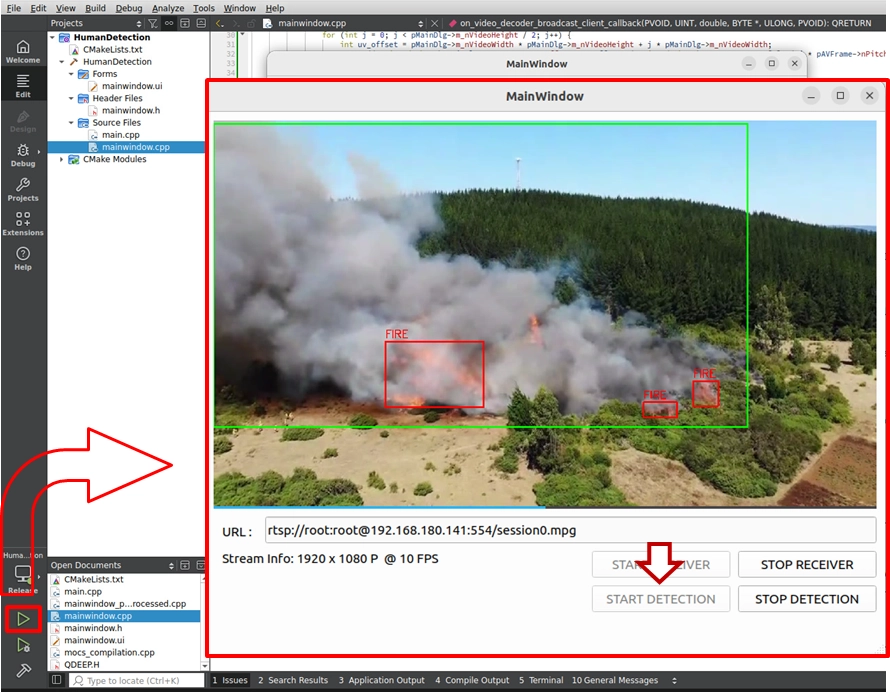
Please click "Build and RUN" in the bottom left corner to execute the project:
1. Enter a camera RTSP URL with a factory operation or forest environment, and click START RECEIVER.
2. After the video is smooth, click START DETECTION to launch the AI disaster prevention analysis engine.
➤ Warm Reminder ( Very Important ) : At the moment you open this software ( execute the program ) for the first time, the interface may take a moment to display. Please do not panic! This is because we wrote the logic for "loading the AI model" inside the program's constructor. The model must undergo initialization configuration during its first execution, at which point the system is working hard to load the massive neural network weight files into the GPU. As long as the software opens successfully ( first loading completed ), it means the AI brain is ready in the background! Subsequently, when you open the software again, you will no longer need this initialization waiting time!
➤ Test Results : As long as flames or thick smoke appear on the screen, you will see highly impactful visual feedback:
• All emerging flames ( Fire ) will be tightly locked onto with striking red bounding boxes!
• Spreading smoke ( Smoke ) will be marked with green boxes.
In the upcoming chapters, we will continue to lead you to explore more powerful and practical "AI Image Detection and Recognition Models," step by step unlocking the infinite potential of the NexVDO SDK in various industry scenarios! See you in the next chapter!